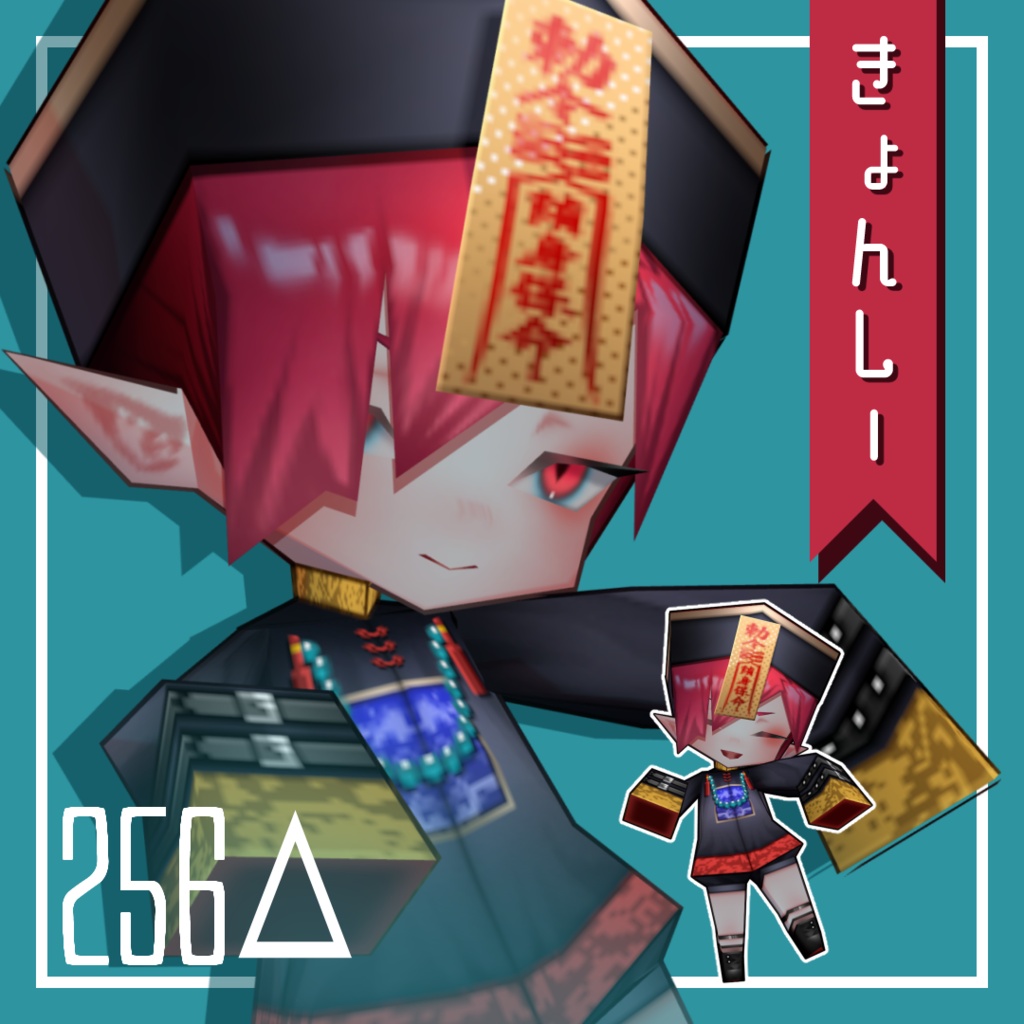
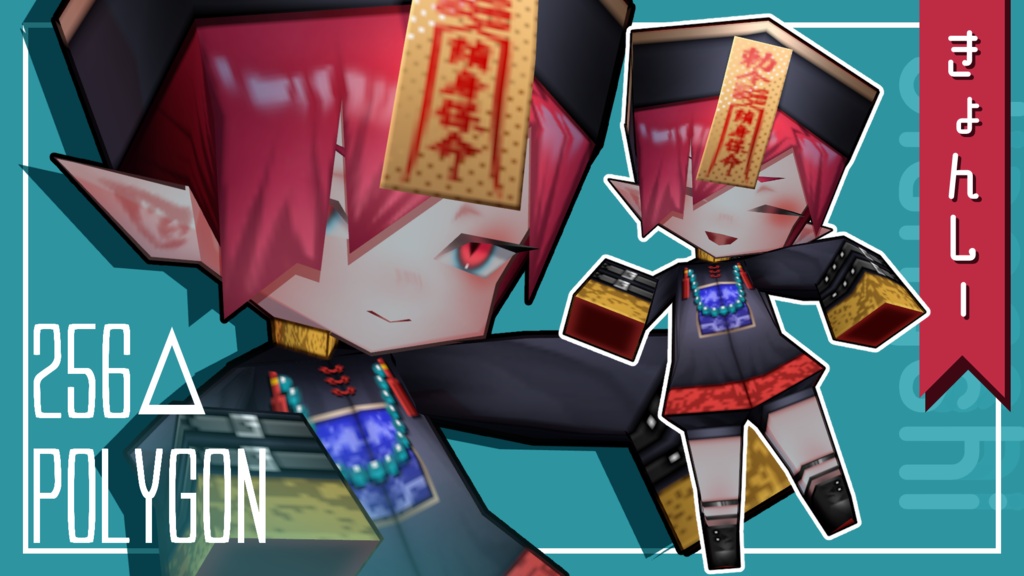
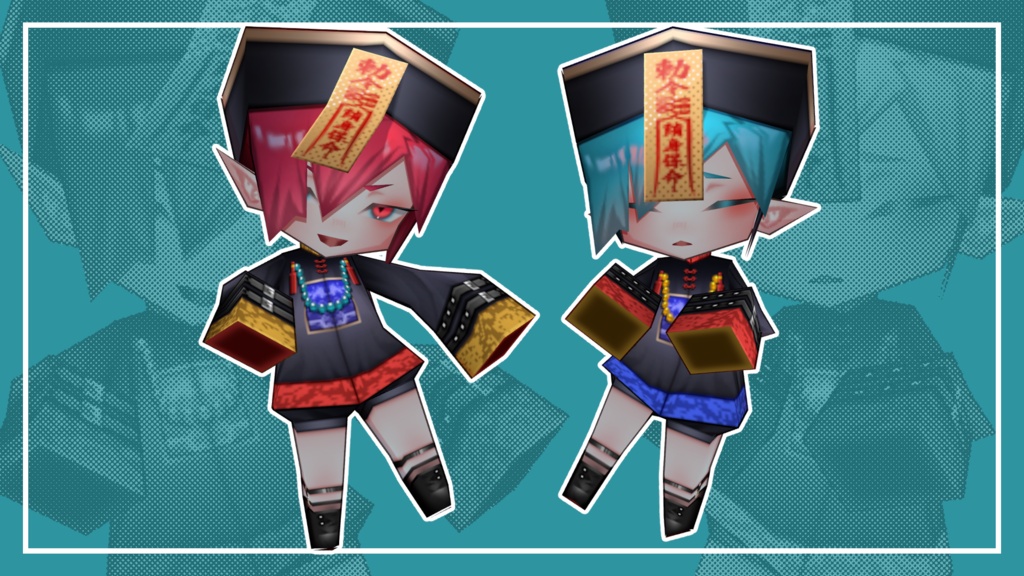
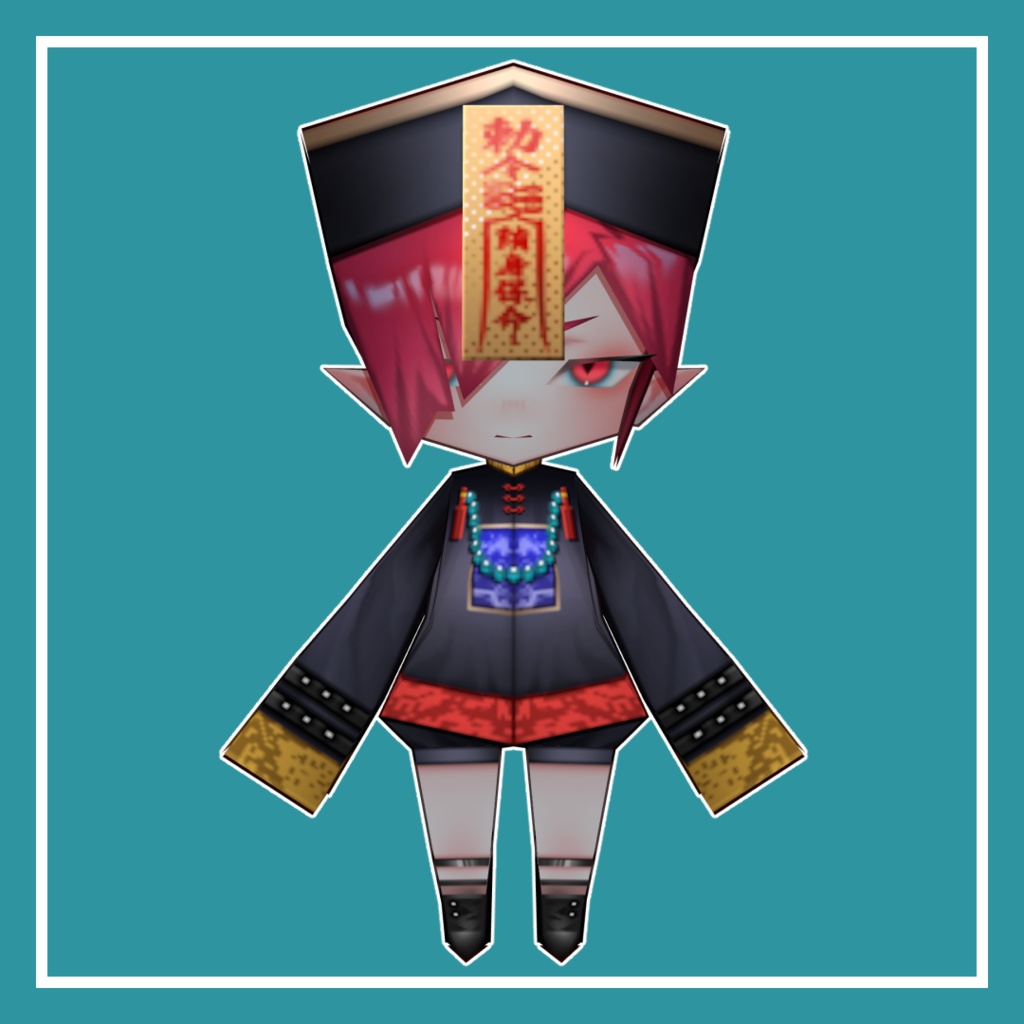
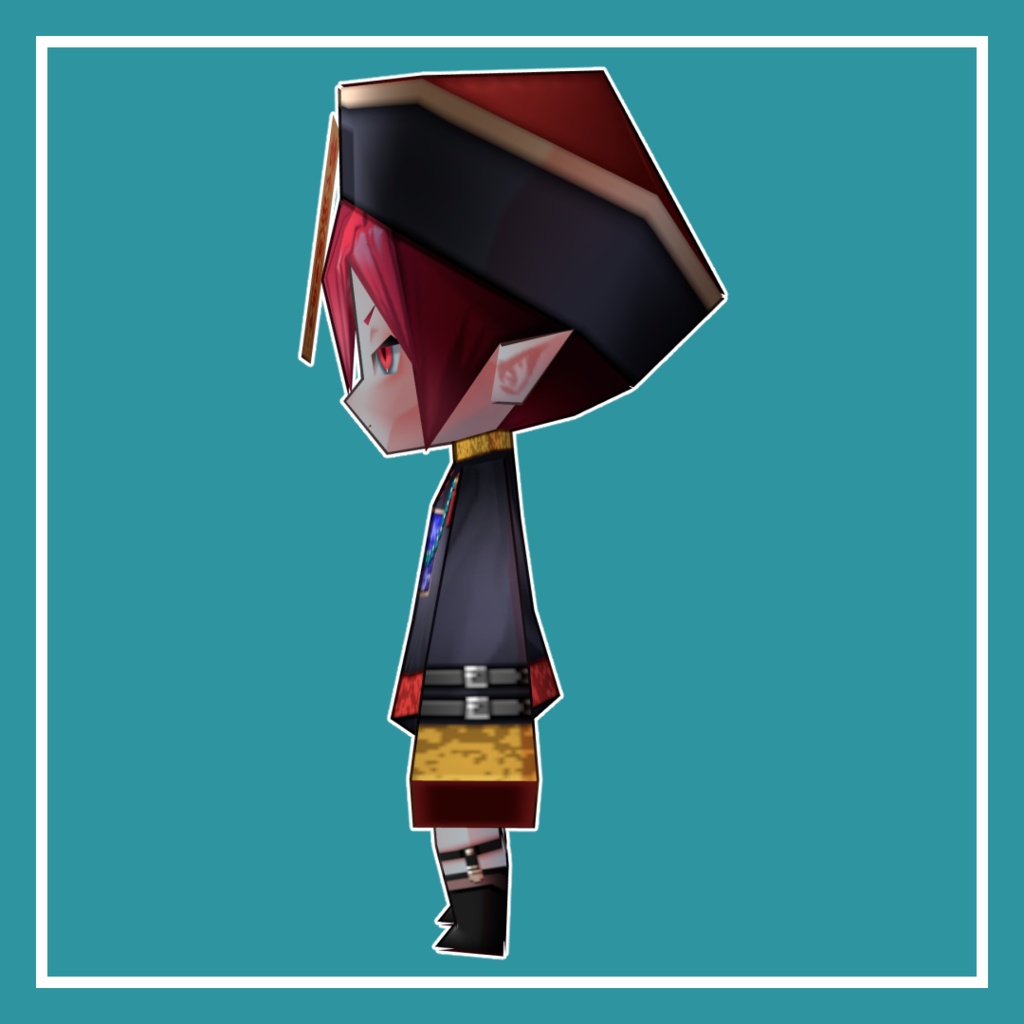
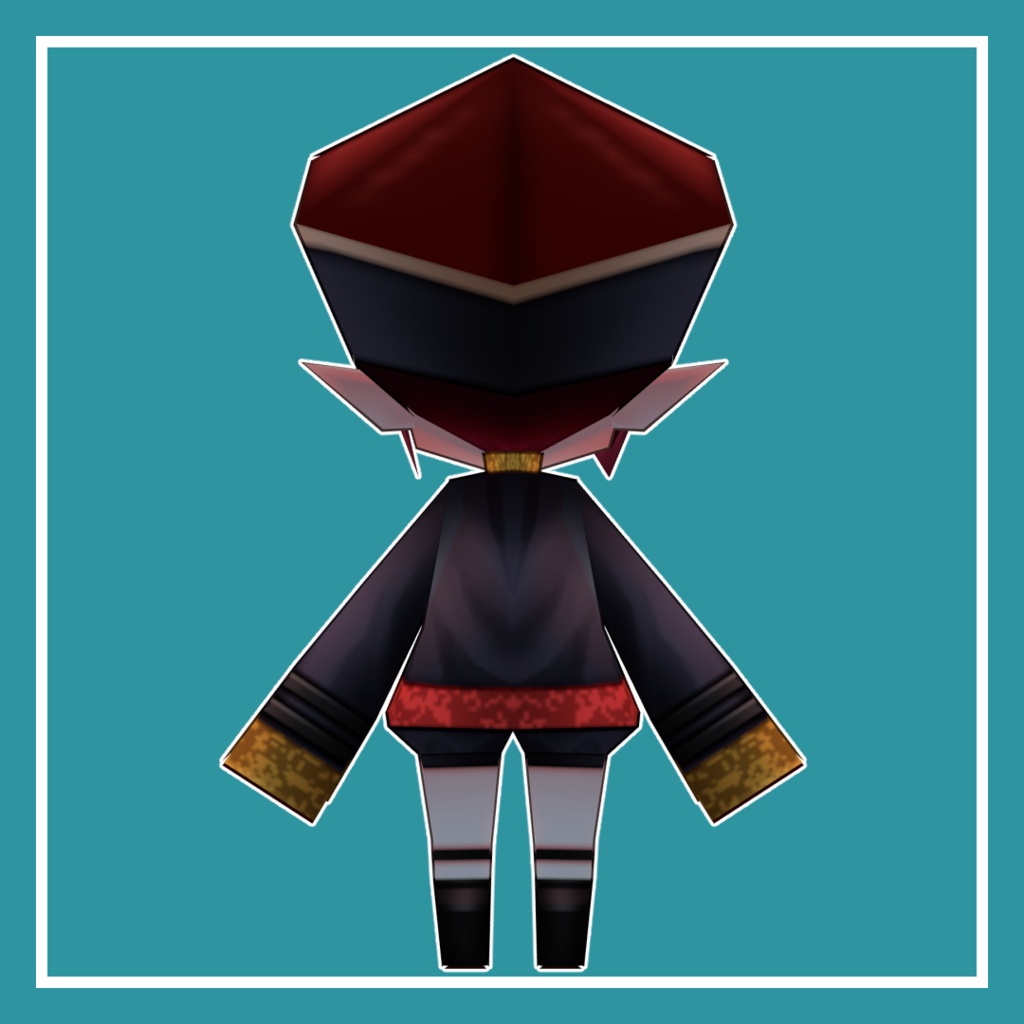
オリジナル3Dモデル「きょんしー256△」(PC/Quest)
- ダウンロード商品¥ 500
Motion by : UnityChanKAGURA © Unity Technologies Japan/UCL オリジナル3Dモデル「きょんしー256△」はVRChatでの使用を想定したアバターです。 表情作成にはFaceEmoを使用しています。 https://suzuryg.booth.pm/items/4915091
ーーー内容物ーーー
■VRC_Model PC版 Unitypackage Quest版 Unitypackage ■How to Use&Sample 使い方動画 サンプル画像等 ■改変用データ(PC版のみ) Blender(.blend) Clipstudio(.clip) PSD(.psd) FBX(.fbx) Texture(.png) ■利用規約_Terms of Use (日本語/English/한국어/中文(简体))
ーーー対応環境・仕様ーーー
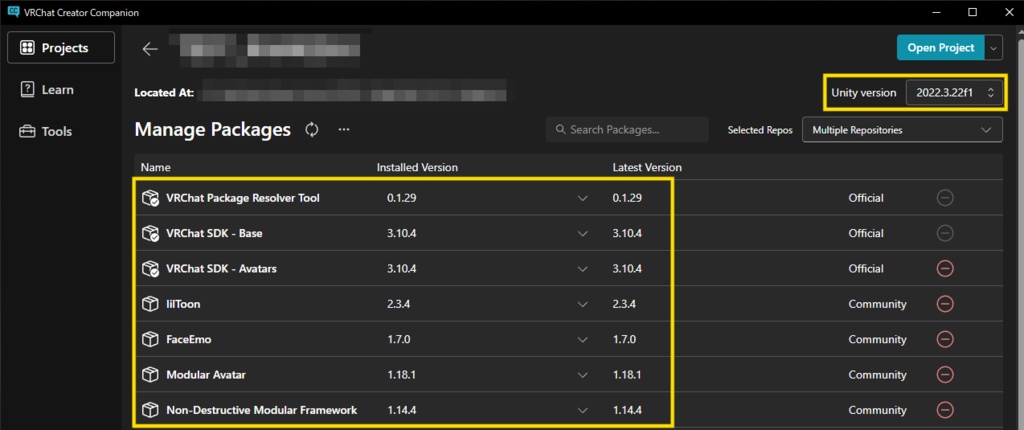
以下の環境での制作及び使用を想定しております。 他の環境での動作は保証しておりません。 ・Blender4.2 ・Unityバージョン:Unity 2022.3.22f1 ・VCC(VRChat Creator Companion) ・VRC SDK3.10.4 対応プラットフォーム:VRChat(PC版・Quest版)
ーーーモデル情報ーーー
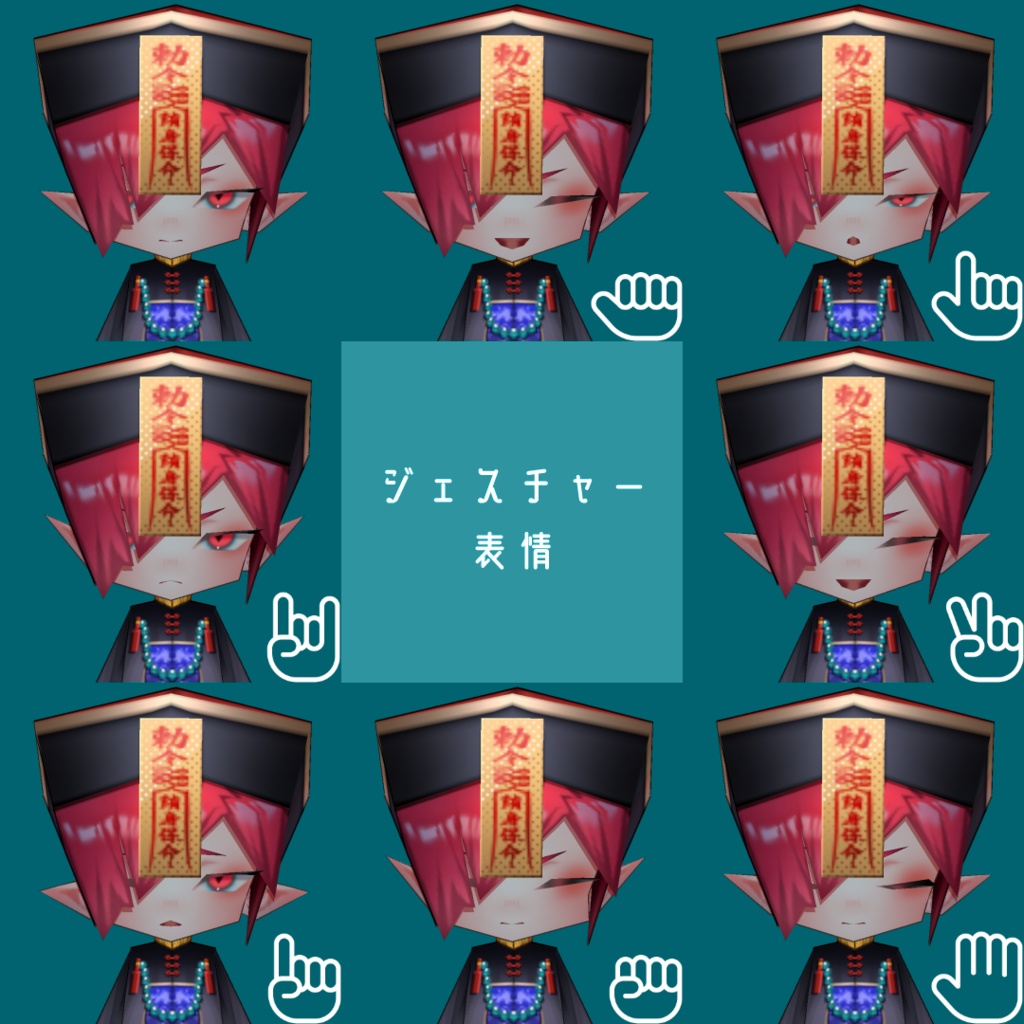
■PC版 ランク:Medium 使用シェーダー:lilToon 総ポリゴン数:△256 表情用シェイプキー:22個 マテリアル数:7個+おまけ色変更マテリアル4個 256pixelテクスチャ:1枚+おまけ色変更テクスチャ1枚 ■Quest版 ランク:Excellent 使用シェーダー:Toon Standard 総ポリゴン数:△256 表情用シェイプキー:22個 マテリアル数:1個+おまけ色変更マテリアル1個 256pixelテクスチャ:1枚+おまけ色変更テクスチャ1枚 ■対応機能 リップシンク(あいうえお のみ) まばたき 表情7種(FaceEmoによるメニュー対応) PhysBone対応(PC版のみ)
ーーー導入方法ーーー
➀まずVRChat公式からVCC(VRChat Creator Companion)をインストールしてください。( https://hello.vrchat.com/ ) ➁VCC経由で以下のツールを追加してください。 ・lilToon ( https://lilxyzw.github.io/lilToon/ja_JP/ ) ・FaceEmo( https://suzuryg.github.io/face-emo/ja/ ) ・Modular Avatar( https://modular-avatar.nadena.dev/ja ) ➂VCCでアバター用プロジェクトを準備します。 「How to Use&Sample」フォルダ内の画像及び動画を参考にしてください。 ➃プロジェクトに本アバターのunitypackageファイルをインポート後、Assetsの本アバターファイルのPrefabフォルダからモデル本体のPrefabをHierarchyにD&Dし、アバターをVRChatへアップロードしてください。 ※Visibilityは必ずPrivateにしてください。 注意:Quest版はSelected PlatformをAndroidにしてください。
ーーー注意事項ーーー
・モデルの改変、MMD(PMX)への変換に関するお問い合わせはサポート対象外となります。 ・アバター本体の不具合以外での対応(Unity・Blenderの基本的な使い方等)はサポート対象外となります。 ・またアバターを使用した際に生じたいかなる損害についても、一切責任を負いません。 ・本商品はデジタルデータの販売です。物理的な商品は含まれません。 ご購入後のキャンセル・返金には対応できません。内容をよくご確認の上ご購入ください。
ーーー利用規約ーーー
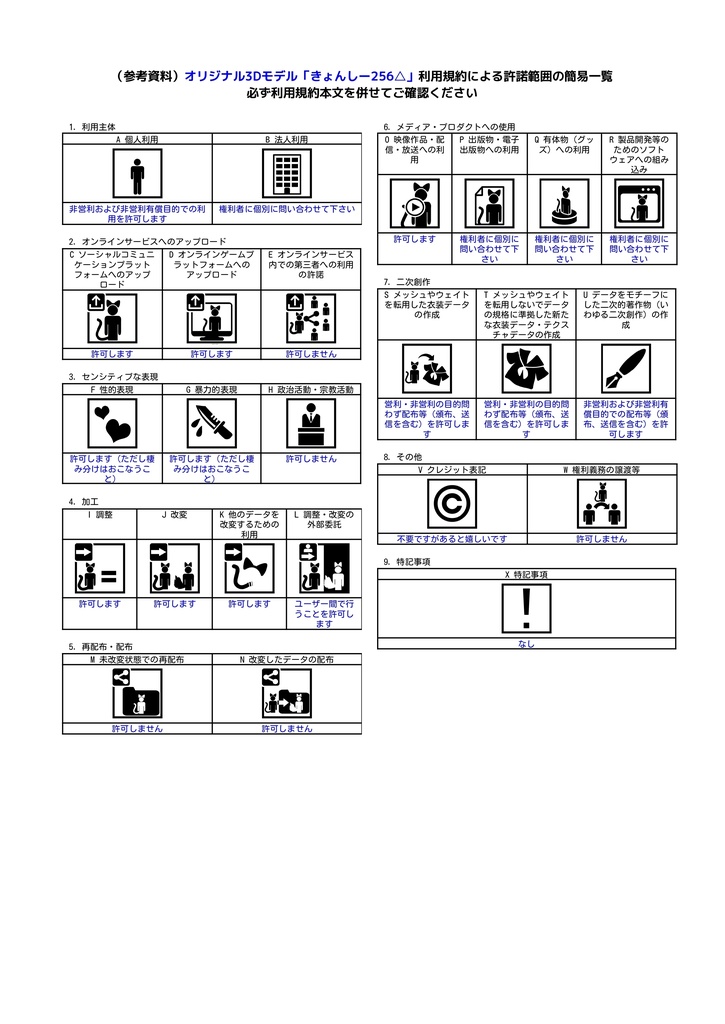
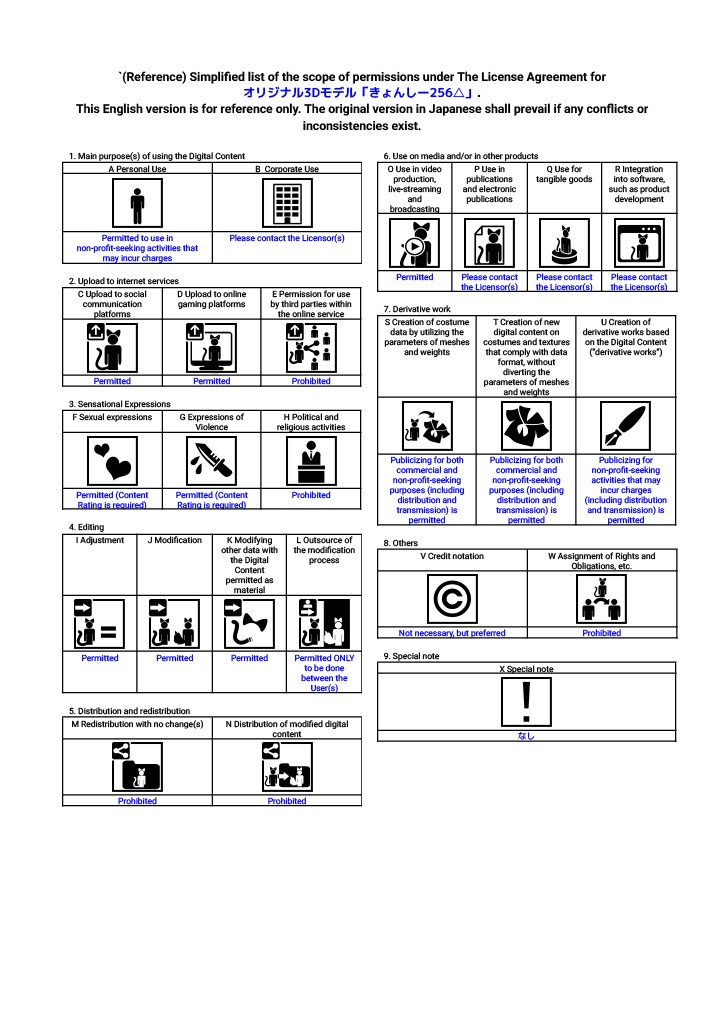
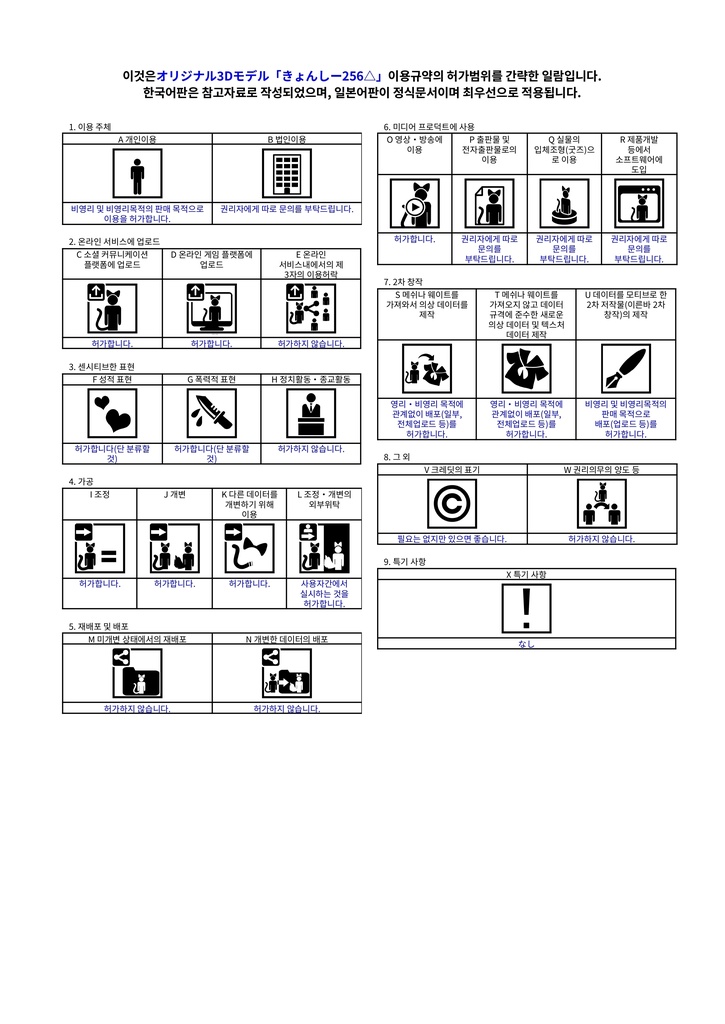
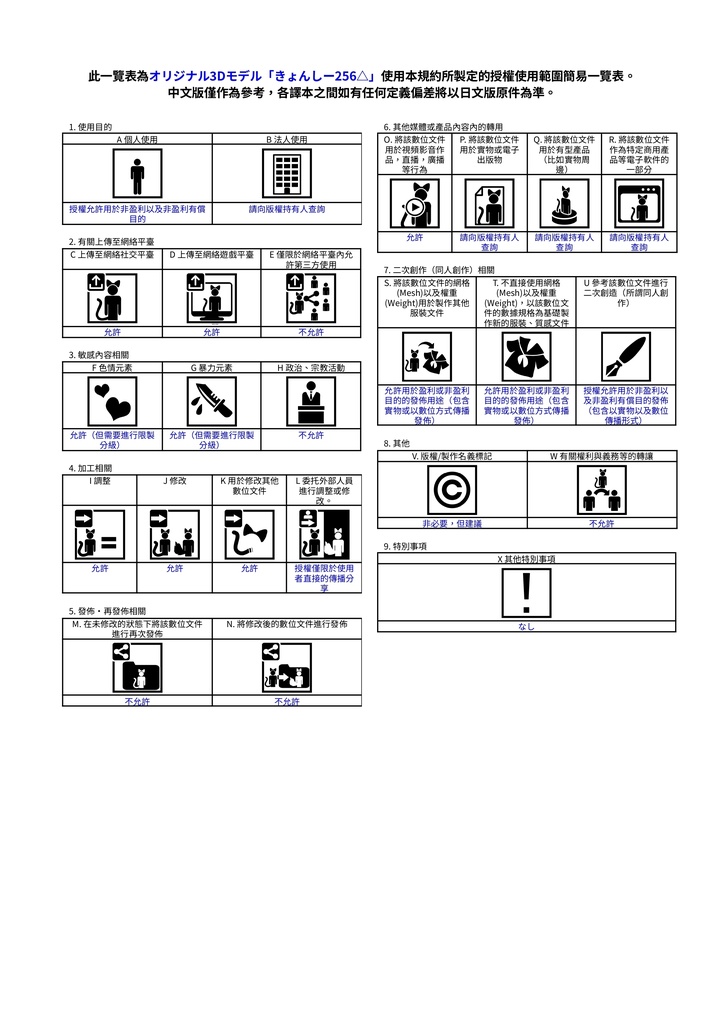
本規約は、あしやまひろこ(@hiorko_TB)氏が作成した VN3ライセンス( https://www.vn3.org/ )のテンプレートを使用しております。 アバターを購入し使用した時点から本規約に同意したものとみなします。 ※詳細は同梱の「利用規約_Terms of Use」をご確認ください。
ーーーハッシュタグーーー
#きょんしー256△
ーーーお問い合わせーーー
お問い合わせ・サポート 不具合報告やご質問等は、以下までご連絡ください。 Twitter(X):@suiu_haruto_V もしくはBOOTHのメッセージにてよろしくお願いいたします。
ーーー更新履歴ーーー
2026/08/20 オリジナル3Dモデル「きょんしー256△」ver 1.0 販売開始
--- Contents ---
■ VRC_Model PC Version — UnityPackage Quest Version — UnityPackage ■ How to Use & Samples How-to video Sample images, etc. ■ Modification Files (PC Version Only) Blender (.blend) Clip Studio (.clip) PSD (.psd) FBX (.fbx) Textures (.png) ■ Terms of Use (Japanese / English / Korean / Simplified Chinese)
--- Supported Environment & Specifications ---
This model is designed and intended to be created and used under the following environment. Operation in other environments is not guaranteed. ・Blender 4.2 ・Unity Version: Unity 2022.3.22f1 ・VCC (VRChat Creator Companion) ・VRC SDK 3.10.4 Supported Platform: VRChat (PC & Quest)
--- Model Information ---
■ PC Version Performance Rank: Medium Shader: lilToon Total Polygon Count: △256 Expression Shape Keys: 22 Materials: 7 + 4 bonus color-change materials 256pixel Textures: 1 + 1 bonus color-change texture ■ Quest Version Performance Rank: Excellent Shader: Toon Standard Total Polygon Count: △256 Expression Shape Keys: 22 Materials: 1 + 1 bonus color-change material 256pixel Textures: 1 + 1 bonus color-change texture ■ Supported Features Lip Sync (A / I / U / E / O only) Blinking 7 Facial Expressions (menu support via FaceEmo) PhysBones (PC Version only)
--- Installation Guide ---
① First, install VCC (VRChat Creator Companion) from the official VRChat website. ( https://hello.vrchat.com/ ) ② Add the following tools via VCC: ・lilToon ( https://lilxyzw.github.io/lilToon/ja_JP/ ) ・FaceEmo ( https://suzuryg.github.io/face-emo/ja/ ) ・Modular Avatar ( https://modular-avatar.nadena.dev/ja ) ③ Create and prepare an avatar project in VCC. Please refer to the images and videos in the 「How to Use&Sample」 folder. ④ Import this avatar's UnityPackage into your project. Then, from the avatar's Prefab folder in Assets, drag & drop the model's main Prefab into the Hierarchy and upload the avatar to VRChat. ※ Please make sure to set Visibility to Private. Note: For the Quest version, set the Selected Platform to Android.
--- Important Notes ---
・Support is not provided for inquiries regarding model modifications or conversion to MMD (PMX). ・Support is not provided for issues unrelated to the avatar itself, including basic usage of Unity, Blender, or other software. ・We assume no responsibility whatsoever for any damage or loss that may occur from the use of this avatar. ・This product is a digital download. No physical items are included. Cancellations and refunds are not accepted after purchase. Please review the product details carefully before purchasing.
--- Terms of Use ---
These Terms of Use are based on the VN3 License template created by Hiroko Ashiyama (@hiorko_TB). ( https://www.vn3.org/ ) By purchasing and using this avatar, you are deemed to have agreed to these Terms of Use. ※ For full details, please refer to the included 「利用規約_Terms of Use」 file.
--- Hashtag ---
#きょんしー256△
--- Contact & Support ---
For inquiries, support requests, bug reports, or other questions, please contact us via: Twitter (X): @suiu_haruto_V Alternatively, you can contact us via BOOTH messages.
--- Update History ---
2026/08/20 Original 3D Model "きょんしー256△" ver. 1.0 Released